06 — Create a Page From Code
Walkthrough
Section titled “Walkthrough”The create_page_from_code tool is the “vibe-code → deploy” path for
WordPress: you describe what you want, Claude writes HTML/CSS/JS in the chat,
and the worker wraps it in a Gutenberg HTML block with the CSS auto-scoped to
a deterministic class so theme styles can’t bleed in.
Vibe-code a pricing page with three tiers (Starter $9, Pro $29, Enterprise
“contact us”), purple gradient background, sticky CTA on mobile. Deploy it
as a code page to viper-template at slug pricing.
create_page_from_code Generated and deployed. Here’s a summary:
- HTML: ~180 lines — three pricing cards in a CSS grid, each with a CTA button
- CSS: Tailwind-style utility classes scoped to
cc-page-9f3aso the site theme can’t override them - JS: 12 lines — sticky CTA that pins on mobile scroll
- Page ID: 142 —
https://viper-template.on-forge.com/wp-admin/post.php?post=142&action=edit - Status: draft
The page is sitting in WordPress as a draft. Open the edit URL to preview with the theme header/footer, then click Publish when ready.
How the wrapping works
Section titled “How the wrapping works”When the worker receives the HTML/CSS/JS bundle, it:
- Computes a deterministic hash from
(site_id, slug)→cc-page-9f3a - Prefixes every CSS selector with
.cc-page-9f3a(auto-scoping) - Wraps the HTML in
<div class="cc-page-9f3a">...</div>inside a single Gutenberg<!-- wp:html -->block - Stores the CSS + JS as post meta (
_cc_inline_css,_cc_inline_js) - The
seo-navigator-code-pageWP plugin emits them inwp_headandwp_footerautomatically
Result: the page renders inside the site’s normal theme (header, nav, footer all there), but the inner pricing UI is fully isolated from theme CSS.
Verifying
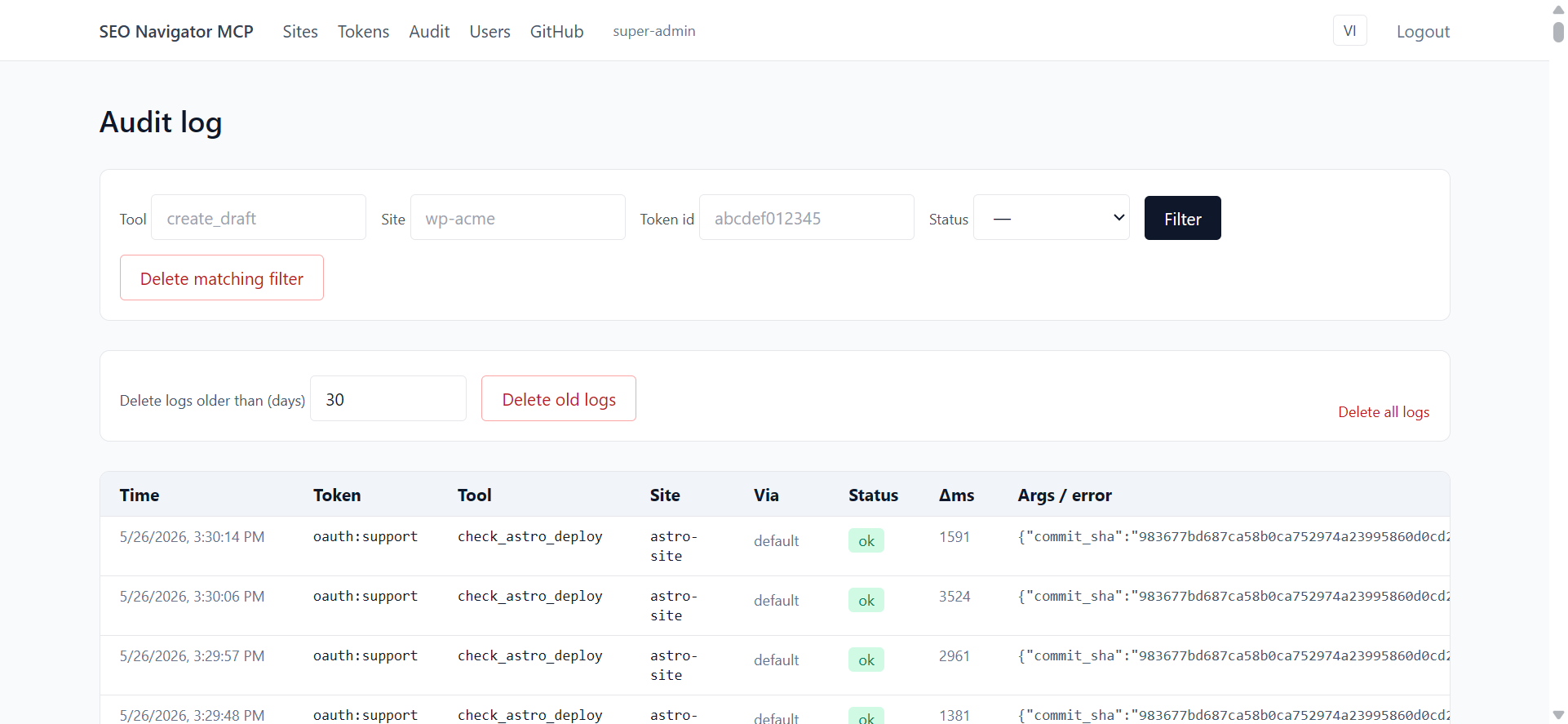
Section titled “Verifying”Audit log row for the call:
If something rendered wrong on the live preview, the usual causes are:
- The
seo-navigator-code-pageplugin isn’t installed on the WP site — fix: install it fromwp-plugins/seo-navigator-code-pagein the worker repo, re-rundiagnose_siteto confirm thecode_page_plugin.installedflag flips totrue - An aggressive cache plugin (WP Rocket, Autoptimize) is minifying the inline
CSS — fix: whitelist class prefix
cc-page-*in the cache settings
Demonstrate the code-first pages workflow: HTML + CSS + JS authored inside the Claude chat, sent through create_page_from_code, materialised as a draft WP page with scoped CSS class cc-page-<hash>.
Prerequisites
Section titled “Prerequisites”- Scenarios 01–02 done.
- The target WP site has the
seo-navigator-code-pageplugin installed and active. Run scenario 05 first to confirm. - The WP site’s
available_buildersincludesgutenberg(the default).
Setup state
Section titled “Setup state”- Claude Desktop on a new conversation.
- A WP admin tab open on
…/wp-admin/edit.php?post_status=draft&post_type=page.
-
Action: In the composer, paste:
Build me a one-page pricing section with three tier cards (Free, Pro $19/mo, Enterprise contact-us). Use Tailwind-style utility classes. When the user clicks the Pro card, scroll to the “FAQ” anchor. Save it as a draft page on acme-blog with slug
pricing.Press Enter. Expected: Claude writes three code blocks — HTML, CSS, JS — then calls
create_page_from_codewith{ site_id: "acme-blog", slug: "pricing", title: "Pricing", html, css, js }. The tool card resolves green. Recorder: capture the three code blocks rendering, then the tool card; this is the “wow” moment. -
Action: Wait for Claude’s reply. Expected: Claude returns
{ page_id, slug: "pricing", scope_class: "cc-page-<hash>", edit_url }. Thescope_classis deterministic — same site + same slug ⇒ same hash. Recorder: highlight thescope_classvalue; copy it to the clipboard for step 4. -
Action: Click the
edit_url. Expected: WP page editor opens, status pill Draft, body contains a single<!-- wp:html -->Gutenberg block. Switch to Preview in new tab. Recorder: open the Gutenberg block in Code editor view (top-right ⋮ menu) for two seconds so viewers see the raw HTML. -
Action: In the preview tab, open DevTools (F12) and inspect a card element. Expected: Every element inside the page carries the class
cc-page-<hash>from step 2, and the CSS rules in the<style>block are all prefixed with.cc-page-<hash>. JS is wrapped in an IIFE. Recorder: pin DevTools to the right side and highlight the scope class on a card. -
Action: Click the Pro card. Expected: The page scrolls to the FAQ anchor (or to the top if no FAQ section exists — show whichever Claude actually produced). Recorder: capture the scroll animation.
Verification
Section titled “Verification”- Admin Audit log has a
tools/call create_page_from_coderow withokand payload{ scope_class, page_id }. - In WP, the page’s post meta includes
_cc_inline_cssand_cc_inline_js(visible via Custom Fields or via REST?context=edit). - The page never goes live until someone clicks Publish in WP admin — guardrail respected.
Rollback / cleanup
Section titled “Rollback / cleanup”- In WP admin, trash the Pricing draft page.
- If you want to re-run the scenario, you can also call
update_page_from_codewith the same slug to overwrite (which is scenario-worthy on its own).
Edge cases to capture in the recording
Section titled “Edge cases to capture in the recording”- Plugin not installed: tool returns
E_CODE_PAGE_PLUGIN_MISSING. Show the error, jump to scenario 05, then come back. - Invalid HTML (unclosed tag): server still accepts it (WP doesn’t validate inside
wp:html), but the preview is broken. Show Claude offering to fix and callingupdate_page_from_code. - Multiple builders enabled on the site: tool still works because code pages are builder-agnostic, but mention it for completeness.